I feel like I should dressed in prison garb, singing “Working on the Chain Gang.” I’ve been picking up hundreds of rocks…and there are thousands more out there. It’s repetitive, endless and my back is screaming. The dogs are even bored by the whole thing. But I’m recycling them. Some are forming a dry creek bed at the back of the house. The big ones are edging my gardens.

Today I’m going to talk about PicMonkey, another photo editing site that I’ve just recently discovered. This is a really neat site – very user-friendly, very much like Picnik, and they are soon adding a collage feature! Let me show you some of their tools and the way the site looks.

This is the home page. Do you see that message on the right? “Collage and more coming soon.” Good news!
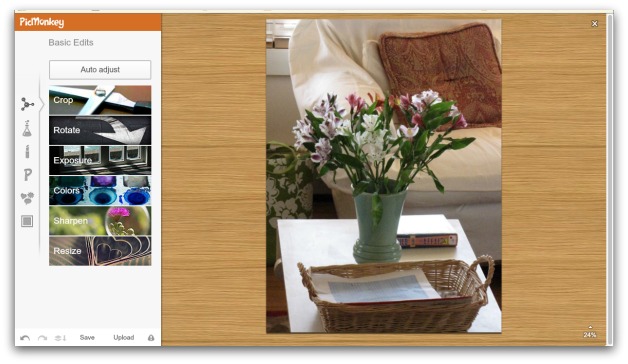
Later on, I’ll show you what I did with that photo. Here you see the usual Basic Edits: Crop, Rotate (with “Straighten” which is not found on every photo editing site) Exposure, Colors, Sharpen and Resize. The Sharpen tool is much like Picnik’s in quality. My one beef with iPiccy is that their Sharpen tool is too grainy.

Here you see Effects. There are lots more of them as you scroll down the page.

Oooh! Touch up. Wrinkle removal, anyone?

Text/fonts. They are a bit limited but I’m sure they’ll have even more as time goes on. My favorite font is still over at iPiccy. After I work on a photo, I just upload it to iPiccy for my watermark.

These are Overlays. They’re really neat – they’re found on lots of photo editing sites, but I think PicMonkey’s are much more user friendly. I’ll show you what I did with this at the end of the post.

And finally, borders/frames. Again, a little limited, but I really don’t use these except for the occasional drop shadow.
Now for the photo. I resized, worked with exposure and color and then I played around a little. I added a little ‘Yester-color” and “Soften” and came up with this:

I didn’t round those corners, but there they are – maybe it’s part of Yester-color. Probably should have cropped around that, but hey, I’m just playing. That’s a PicMonkey font. Isn’t this pretty? Dreamy. And it makes the den look a lot better than it actually looks. I can’t see any dog hair on the chair. And it’s there. Believe me.
I then discovered Overlays and played around with the same photo.
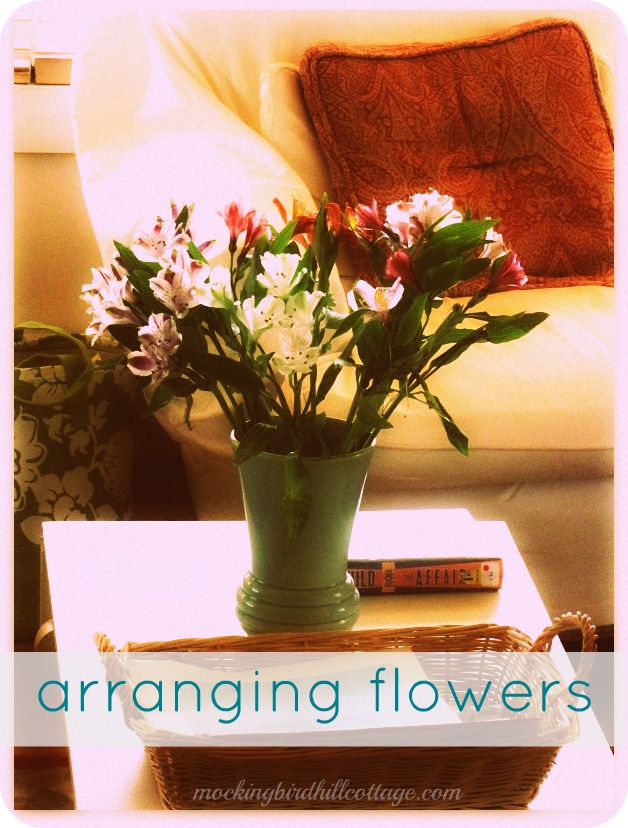
I used the rectangle shape, made it opaque and then added text. Lots of bloggers are doing this sort of thing now and I rather like it. You could use it for a tutorial or to label a specific photo or to make it more Pinterest-worthy. More on Pinterest later this week, by the way. If anything, I’m even more troubled about that site.
I really, really like PicMonkey. It’s my new overall favorite. Ladies and gents – there is indeed life after Picnik. Give it a try!